[Functionality:] To be able to create payroll statements, insurances must be entered. Recorded insurances are available for the various deductions and can be specified in the payroll statements.

Please enter a search term.
Error ~ No results could be loaded.
Payroll accounting: Record insurance for AHV, BVG, UVG, KTG
Tutorial: How to record insurances for payroll accounting. Bonus: add your insurances in the salary templates.
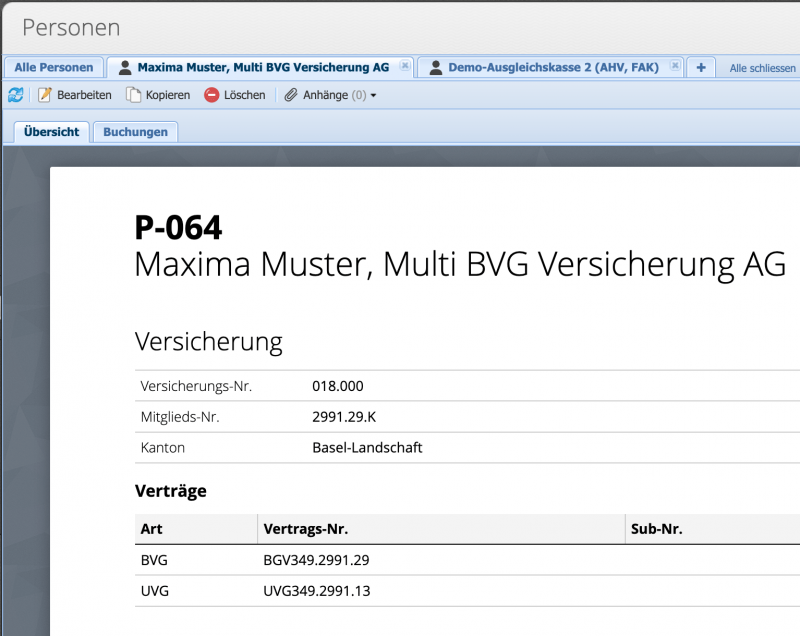
1. Add insurance (Add person)
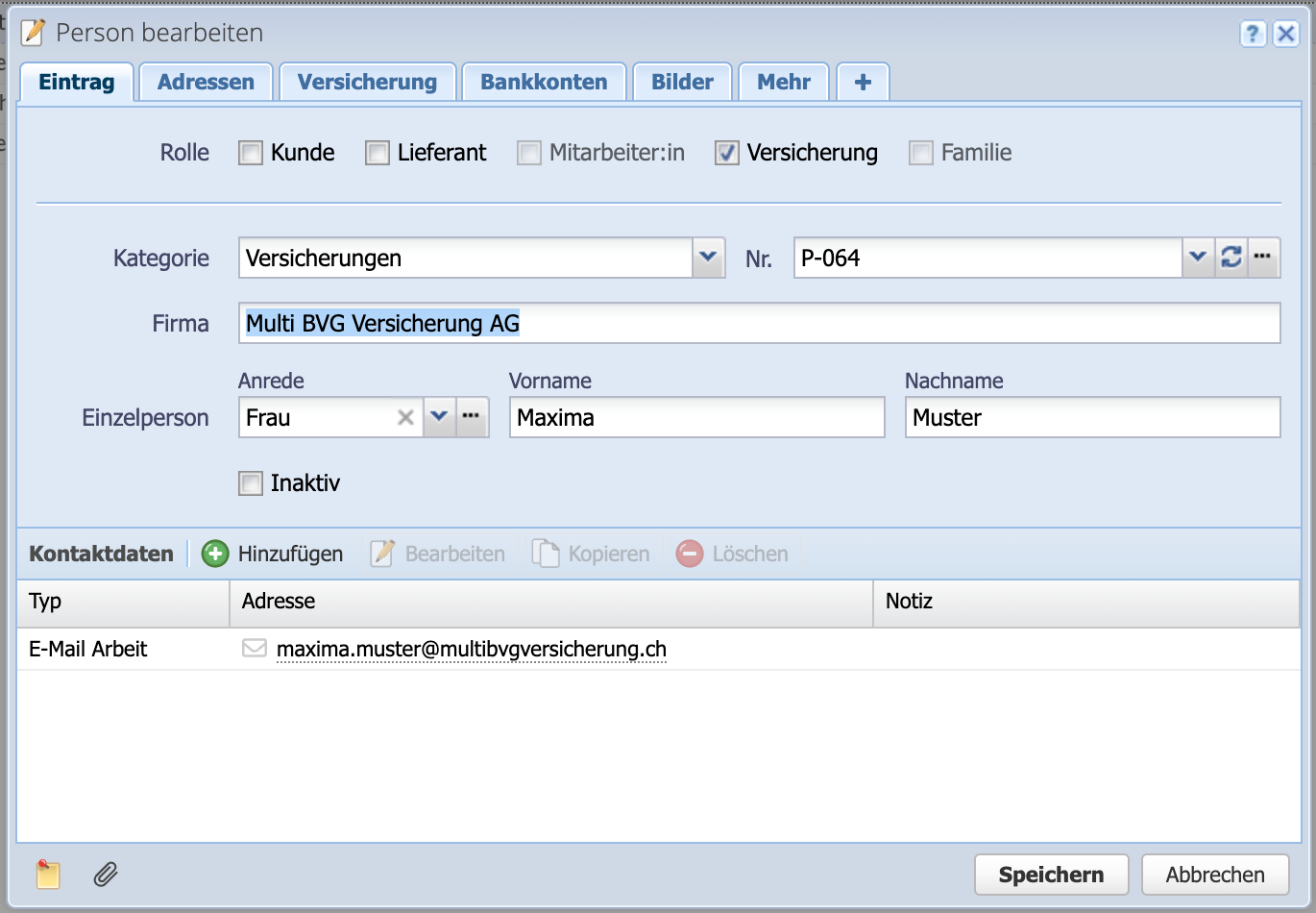
Enter a new person via Persons Add and check the Insurance box. This classifies the address entry in CashCtrl as insurance. Then fill in the other information and continue with the next tab.
2. Add contracts, select type
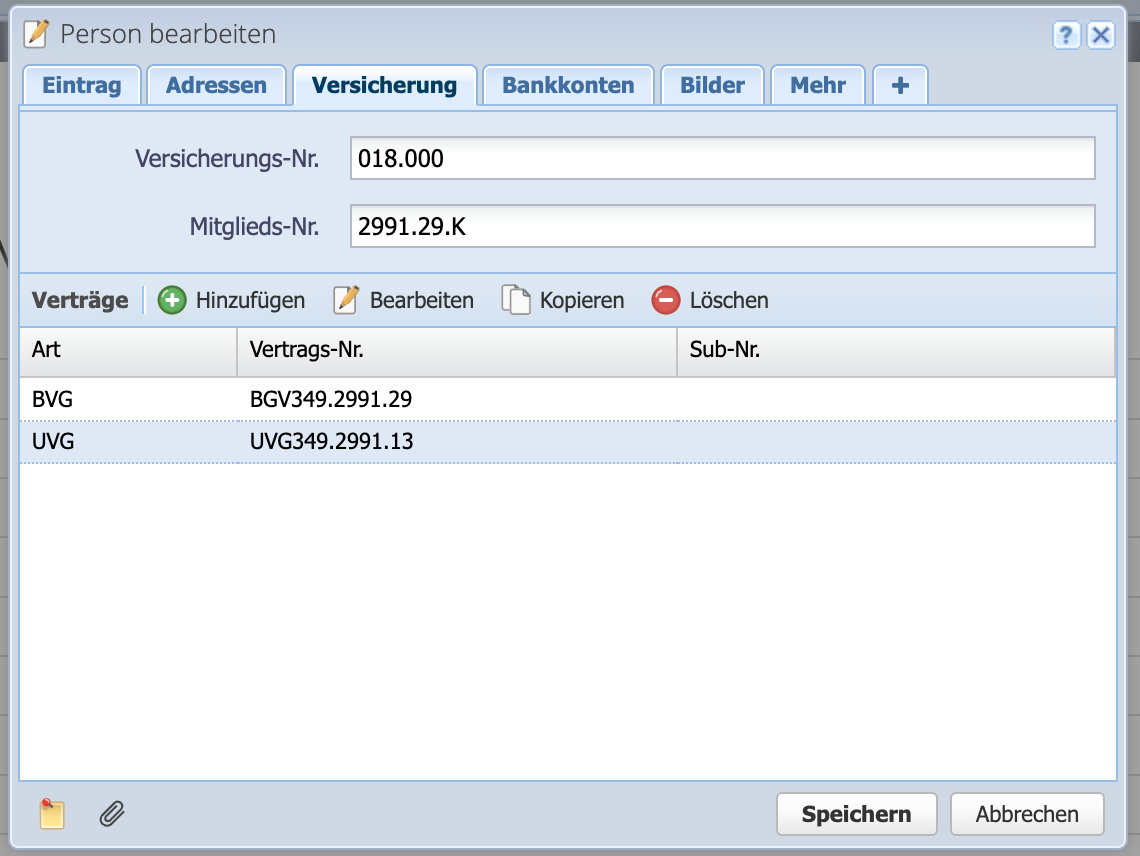
In the Insurance tab, add the contracts and select their type. Several contracts per insurance company are possible. The Insurance no. field is the general number of the insurer. The Member no. field indicates your own membership number with the insurer.
- Possible insurance types are
- AVH/IV/EO/ALV - Social insurance
- ALVZ - Supplementary unemployment insurance
- BVG - Occupational pension scheme
- FAK - family equalization fund
- KTG - Daily sickness benefits insurance
- UVG - Accident insurance
- UVGZ - Supplementary accident insurance
3. Adjust salary template
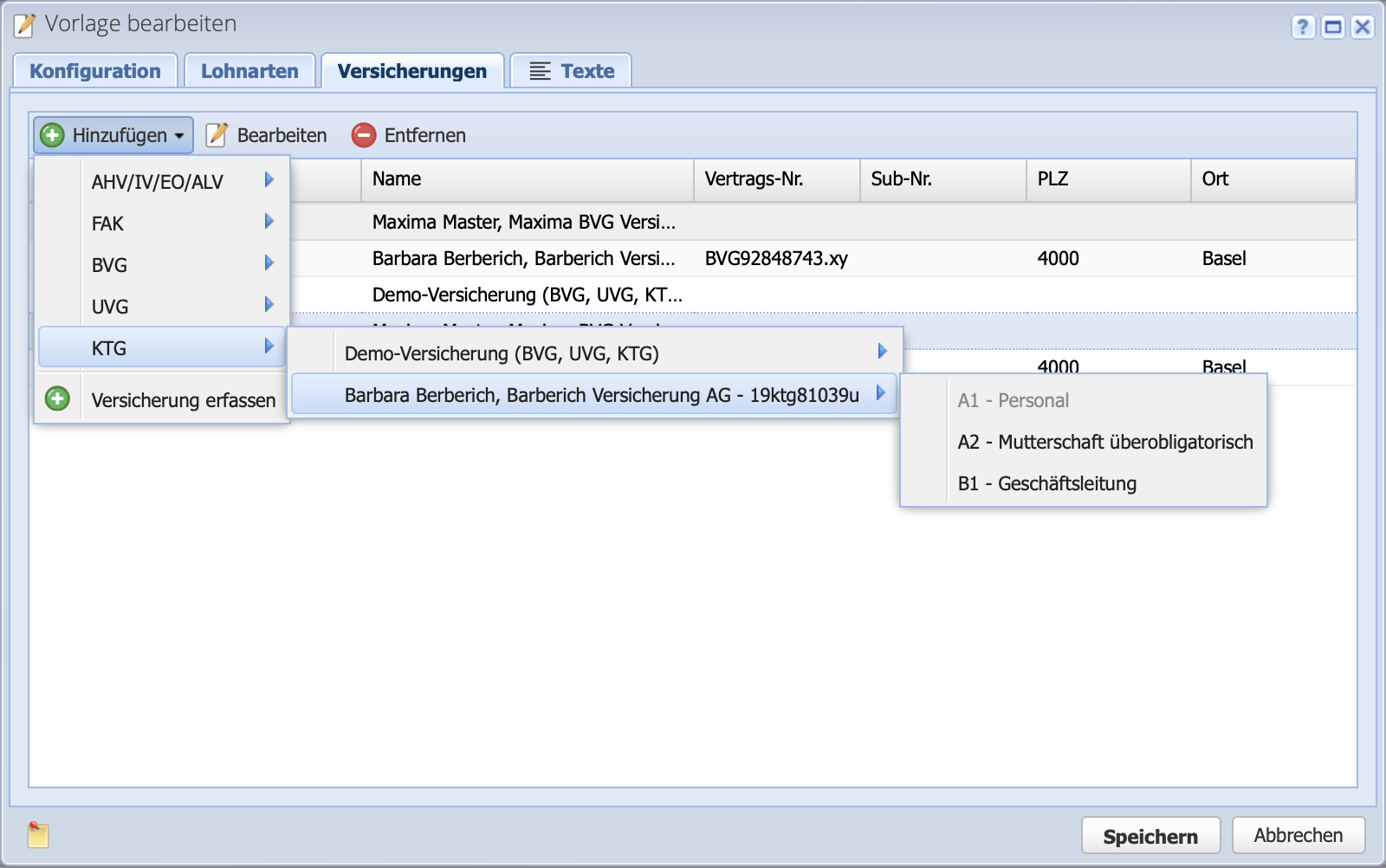
To avoid having to set insurance details for each new salary statement, it makes sense to store them in the salary template. To do this, go to Settings Salary configuration and switch to the Salary templates tab.
If all employees in the company have the same insurance, it makes sense to enter the insurance details in the basic template. If monthly and hourly wage earners have different insurance policies, for example, this can be defined in the monthly salary and hourly salary wage template.
In the Insurance tab, you can select the respective insurance policy or contract for the various insurance types (AHV, BVG, UVG, etc.).