
Create offers using option total and subtotal

Tutorial: Quotes can include different offer options or variants. To represent this in offers, CashCtrl provides an option and intermediate total.

Content 

  1. Create offer
  2. Add optional position
  3. Insert option total or subtotal
  4. Difference option total / subtotal
  5. Finish / Result

Watch tutorial (German)

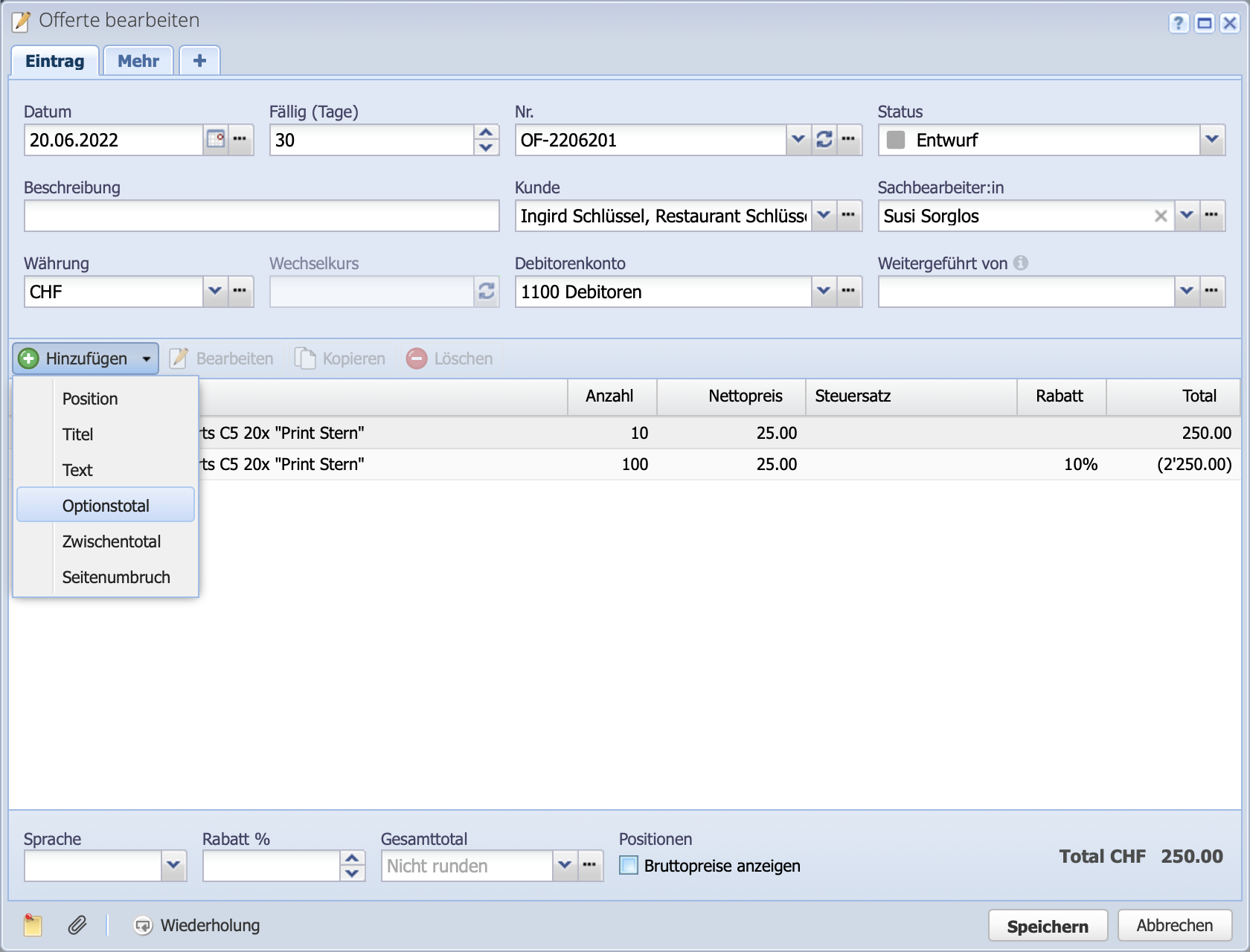
Screenshot of the Create order dialog with inserting an option total

1. Create offer

Create a new offer in the Orders module via Add. Again via Add in the dialog now add positions, titles, texts and page breaks to the offer. In the example, a quantity discount is granted for different quantities. Therefore, two positions of the same article with different quantities are created.

Screenshot of the dialog window for creating a new offer

2. Add optional position

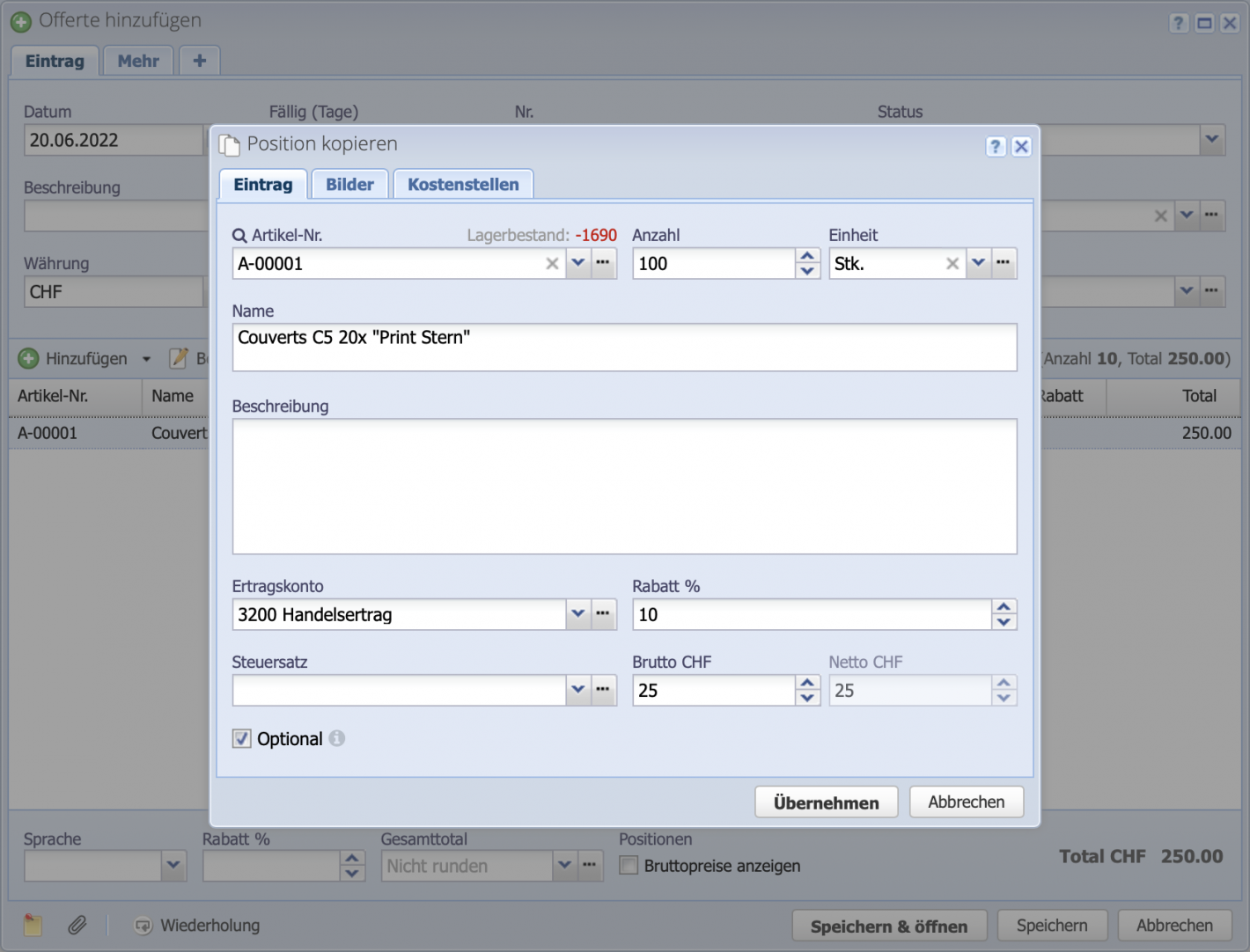
If the Optional checkbox is selected when adding a position, it will not be included in the total for the offer. Optional items are included in the option total, but not in the subtotal.

Screenshot of adding an optional position to an offer

3. Insert option total or subtotal

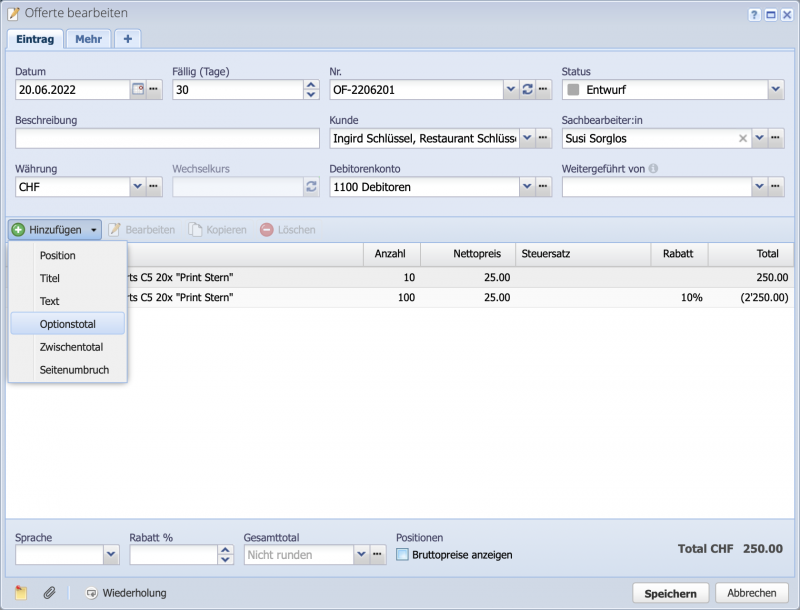
Select the option total and subtotal using the dropdown on the Add button. Both are used here for demonstration.

Screenshot of the Add order dialog with dropdown for option and subtotal

4. Difference between option total and subtotal

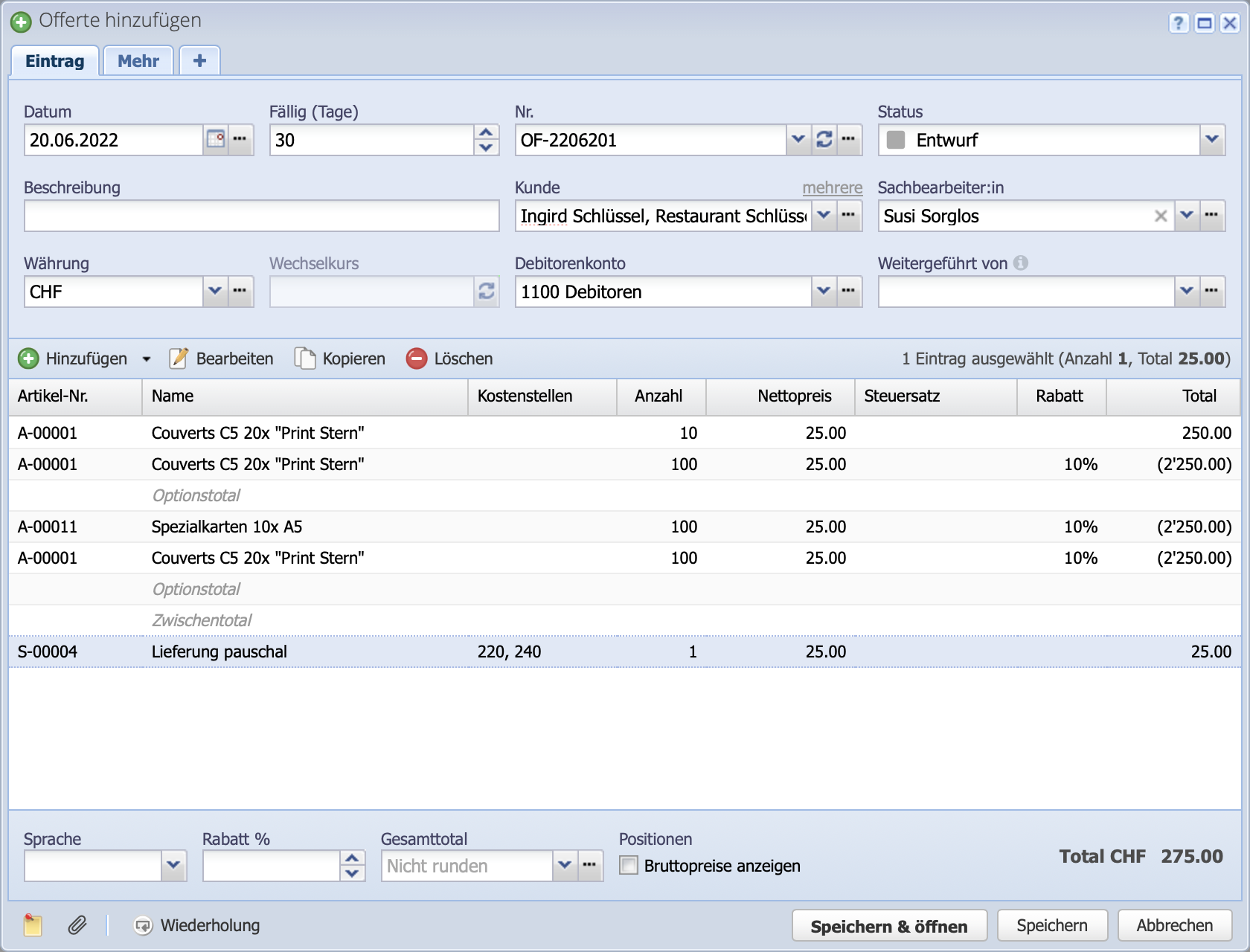
While the subtotal adds all positions above, the option total adds only the positions above the total up to the next total above.

The option or subtotals can still be arranged at any time by drag & drop.

Screenshot of an offer with many positions and inserted option totals and subtotals

5. Finish / Result

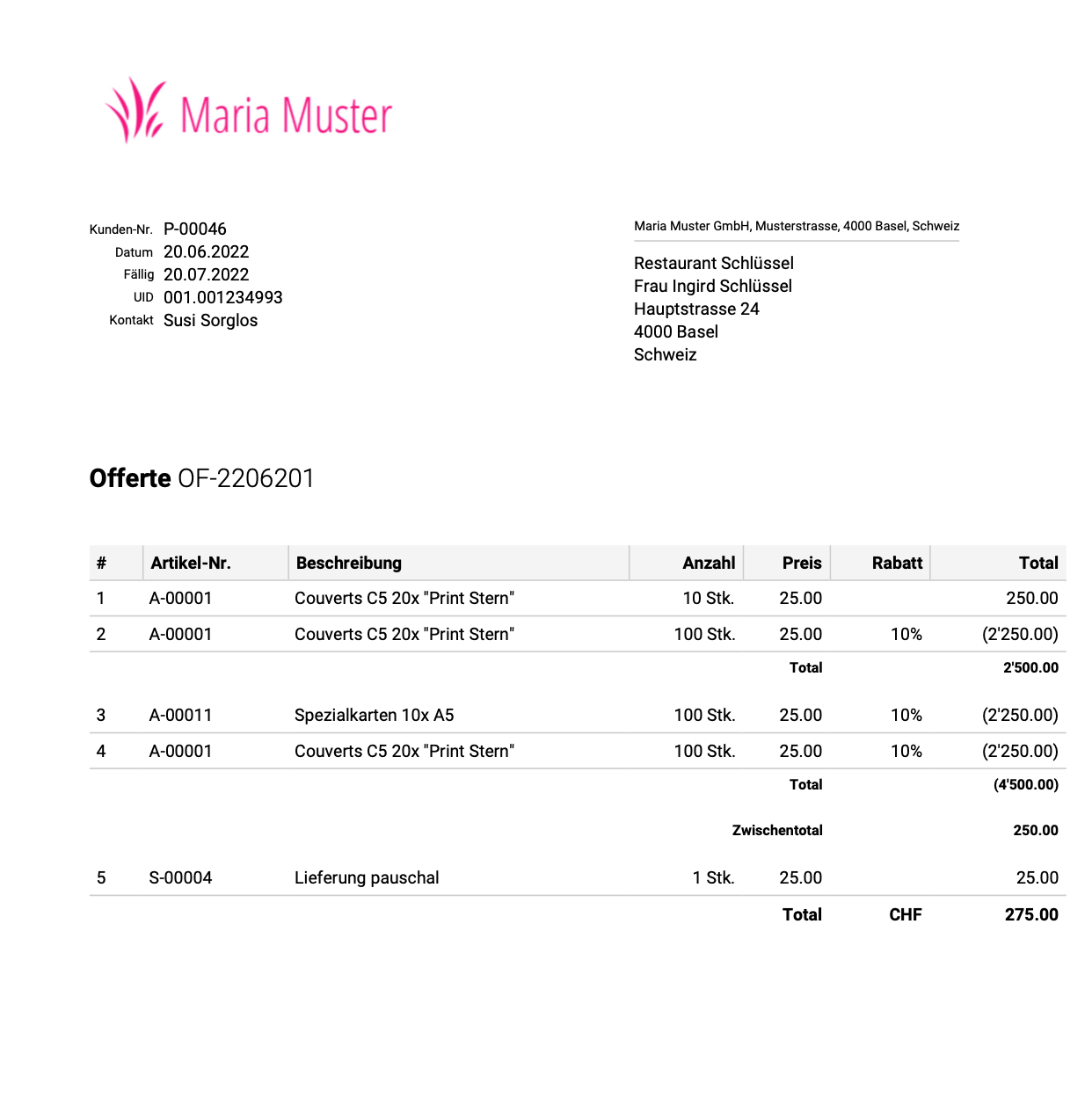
Complete the offer by clicking Save & Open. The screenshot shows the result of the offer with options and subtotals. While the first option (items 1 and 2) costs a total of CHF 2,500, a 10% discount is granted on option 2 (items 3 and 4) due to the higher quantity. The second option totals CHF 4,500.

The example shows that the subtotal adds up all (non-optional) items above, while the option total only adds up the items up to the option total above.

The grand total of 275 only includes the 250 for the first item and the delivery costs, which are not optional.

Screenshot of the finished offer with option total and subtotal