
1. Add or edit tax code
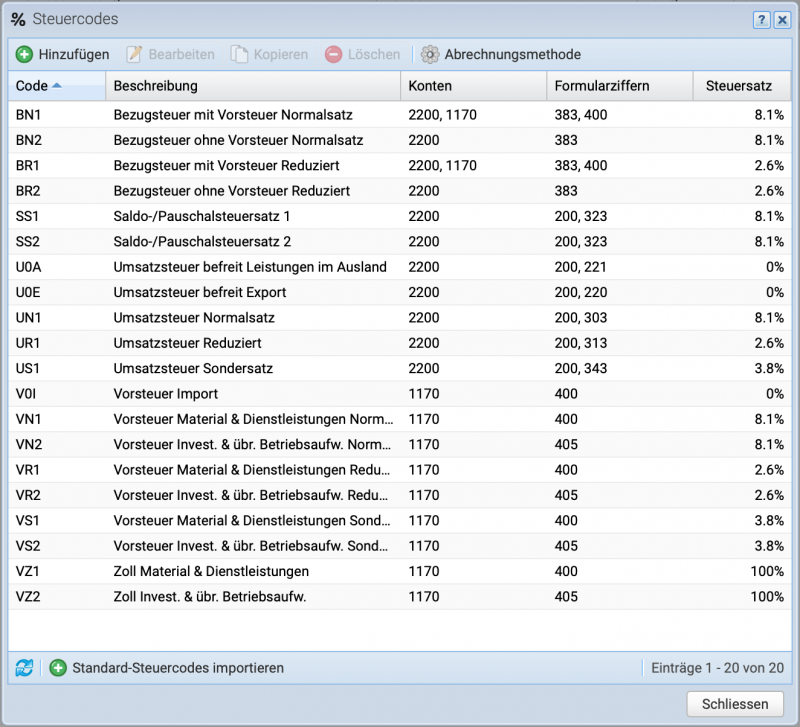
If the tax codes for acquisition tax are not yet available, they can be imported using the Import Default Tax Codes button or created manually. When importing, all tax codes are imported, not just those for purchase tax.
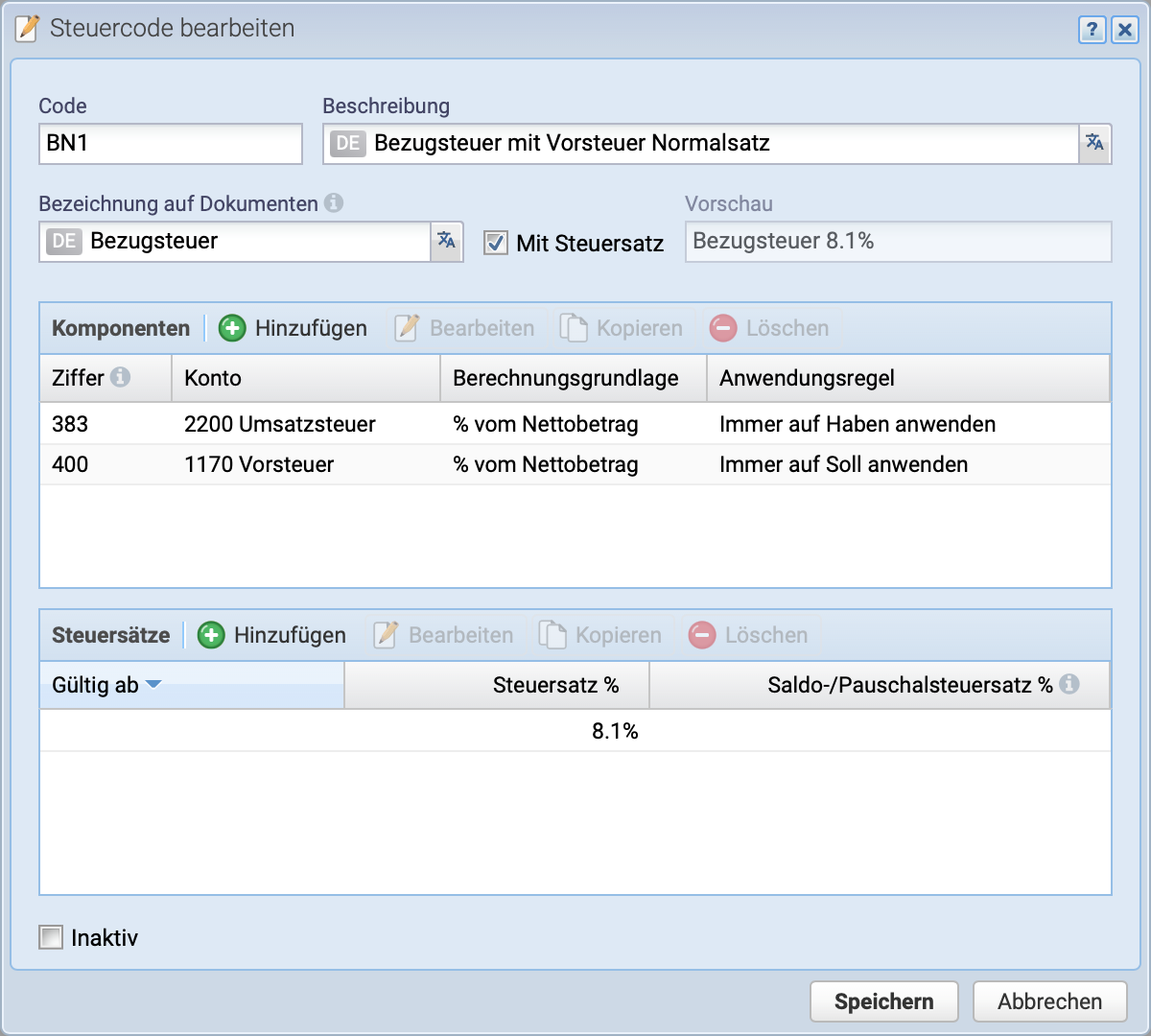
To create a tax code, open the overview via Settings Tax Codes and click Add.
Fill in the tax code BN1 as shown in the screenshot. For additional tax codes such as BN2, BR1, and BR2, refer to the configuration in the next section.